A senior tech watching every backup.
Every server. Every night.

Backup IQ builds a statistical model of every server in your environment — detecting silent failures, false successes, and gradual drift that status checks miss. Then it turns that work into white-label reports, live client visibility, and a service your clients can actually pay for.

More than an internal dashboard: it gives MSPs something visible to invoice.

Opens the real product in read-only demo mode with seeded sample clients, reports, and intelligence. No signup required.

app.backupiq.com/dashboard
Dashboard Intelligence Customers Actions Reports
Overnight Briefing
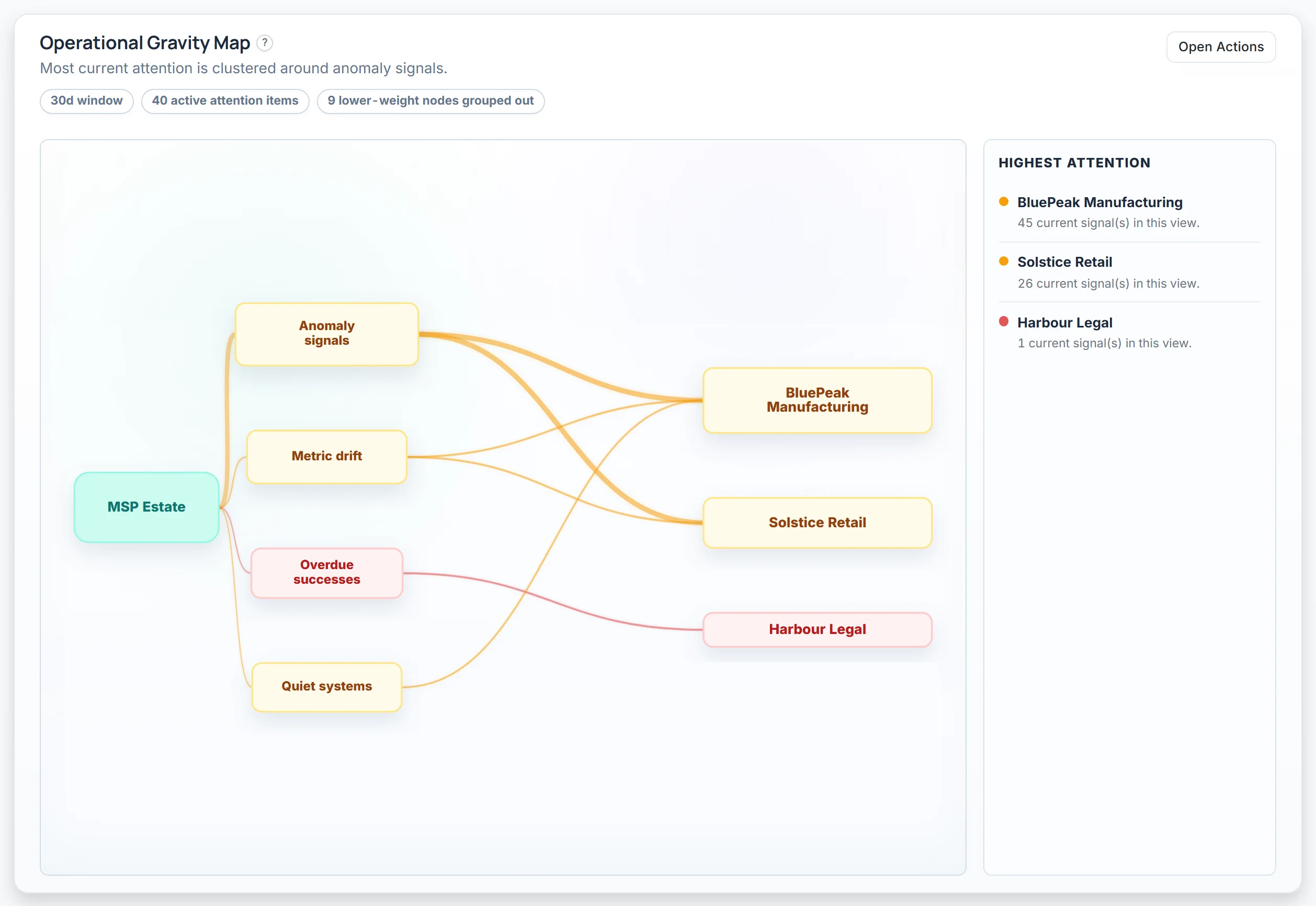
All 47 servers reported overnight. 3 anomalies detected across 2 clients: SRV-SQL02 backup succeeded but size dropped 91% from its Tuesday baseline — investigate source data. NAS-01 missed its expected Thursday schedule. DC-BACKUP duration has drifted 40% over 2 weeks. 10 of 12 clients fully healthy.
47Servers
96.4%Success Rate
44Healthy
3Anomalies
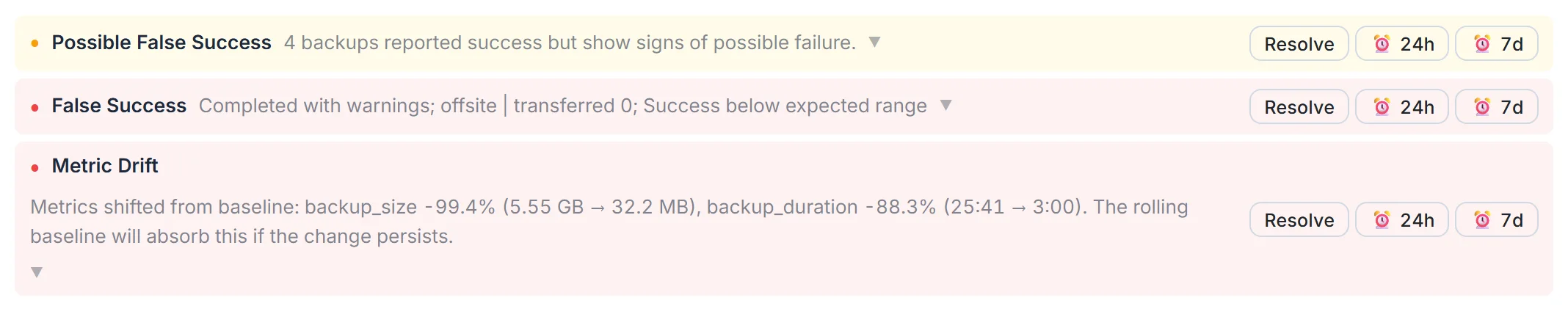
SRV-SQL02 Backup size 200 KB — baseline is 5.1 GB (Tuesday) Green but wrong
NAS-01 No backup email received — expected every Thu Silent failure
DC-BACKUP Duration drifted +40% over 14 days Metric drift

47 servers across a dozen different environments. 47 green ticks. Failed jobs should notify you… right? We’ve been there. Then a client calls about a restore and the backups have been empty for weeks. The dashboard never changed colour.

No human can review every metric on every server every day. A system can.

Intelligent Modelling

It knows what normal looks like

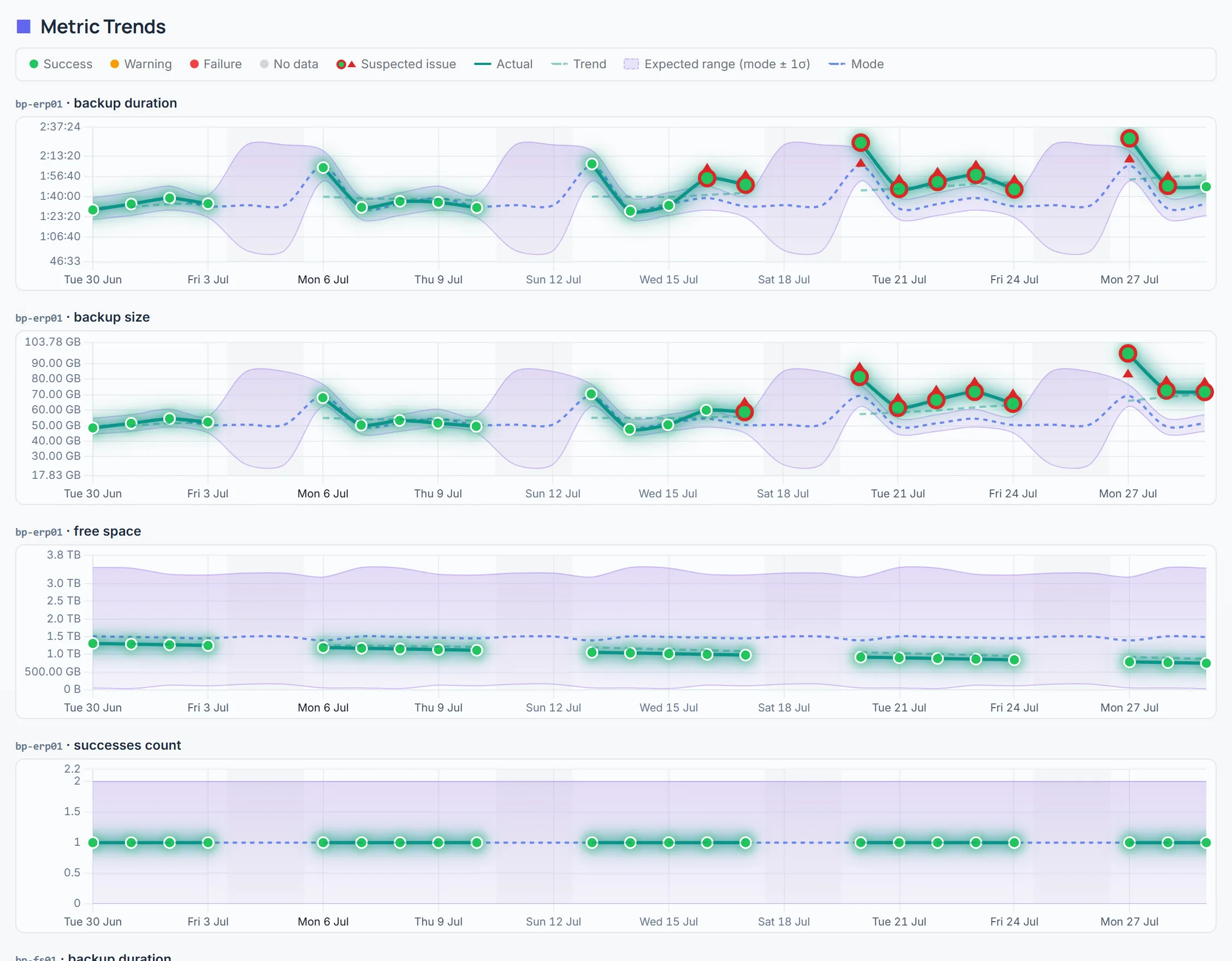
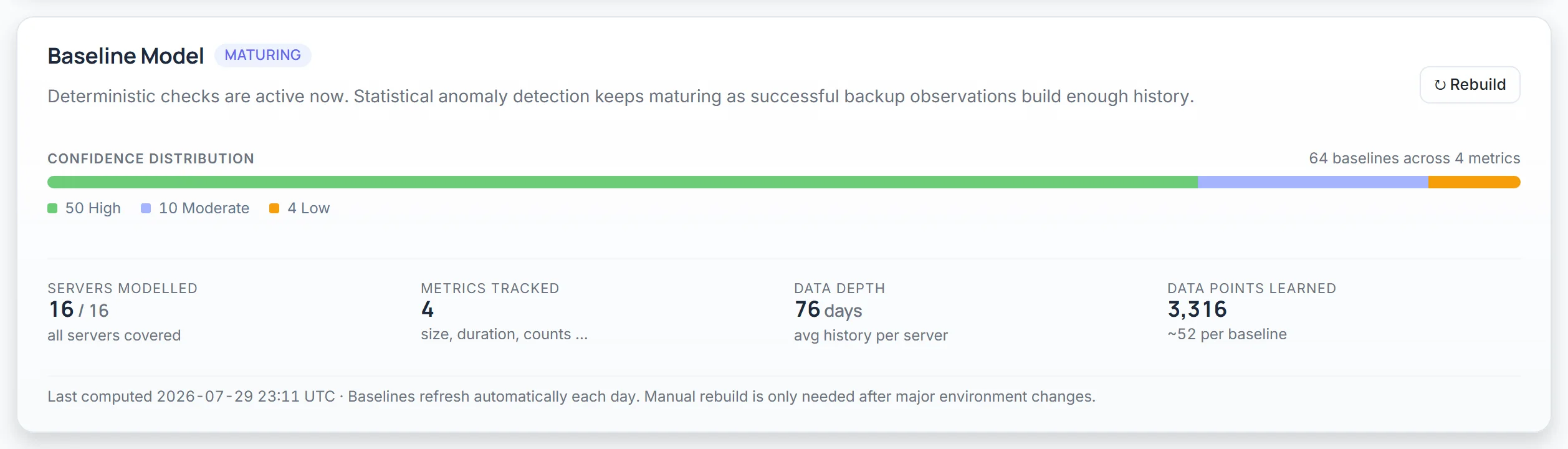
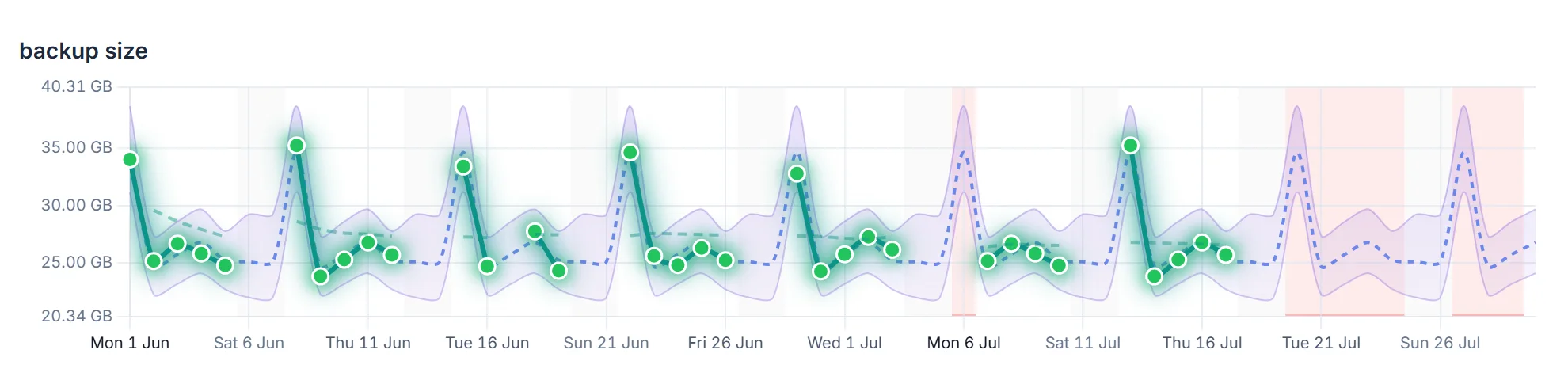
Per-server, per-day-of-week statistical baselines that learn your environment over time. Not arbitrary thresholds — real intelligence that understands Tuesday’s incremental is different from Sunday’s full.

? Mon Tue Wed Thu Fri Sat Sun NOT RECEIVED

Silent failure detection

A server stops reporting. No error, no alert from the backup product — it just goes quiet. Backup IQ knows this server reports every Tuesday and Thursday. Thursday didn’t arrive. You’re notified before anyone notices.

5 GB baseline 200 KB STATUS: OK

Green but wrong

The backup reports success. Your monitoring shows a green tick. But the backup was 200 KB when this server’s Tuesday baseline is 5 GB. Something completed — it wasn’t a real backup.

60 DAYS 8 weeks ago today

Gradual drift detection

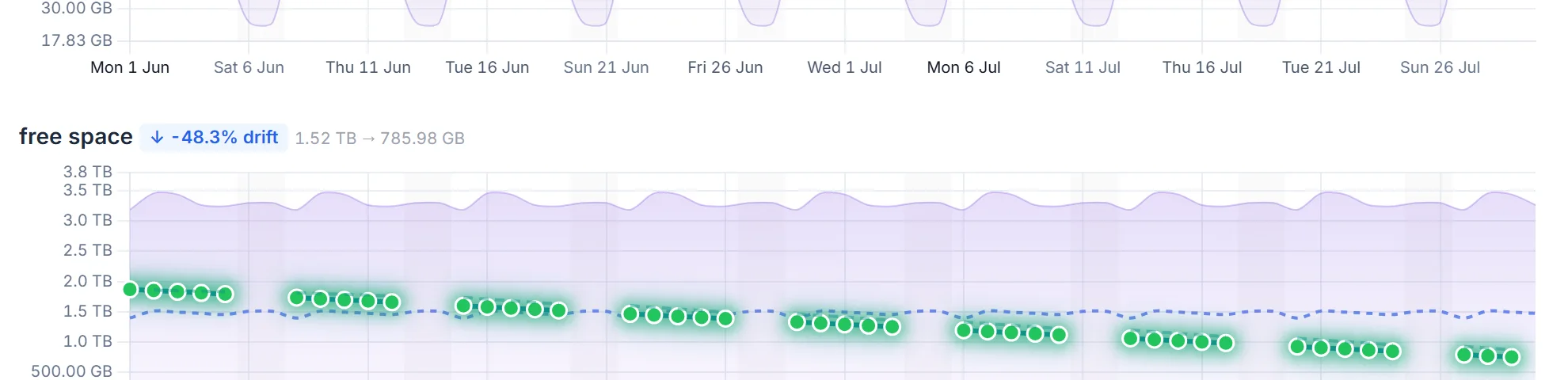
Backup size growing 3% every week. No single day triggers an alert. But the trend is clear — this server needs attention in 60 days, before it becomes an emergency.

The Reality

These checks take hours. If they happen at all.

Reviewing every backup size against its baseline. Checking for missing reports. Tracking duration drift over weeks. A thorough review of 50 servers takes an experienced tech half a day — so it doesn’t happen.

Minutes to set up. Runs every night. Catches what humans can’t.

Revenue, Not Cost

Backup assurance clients can see and pay for

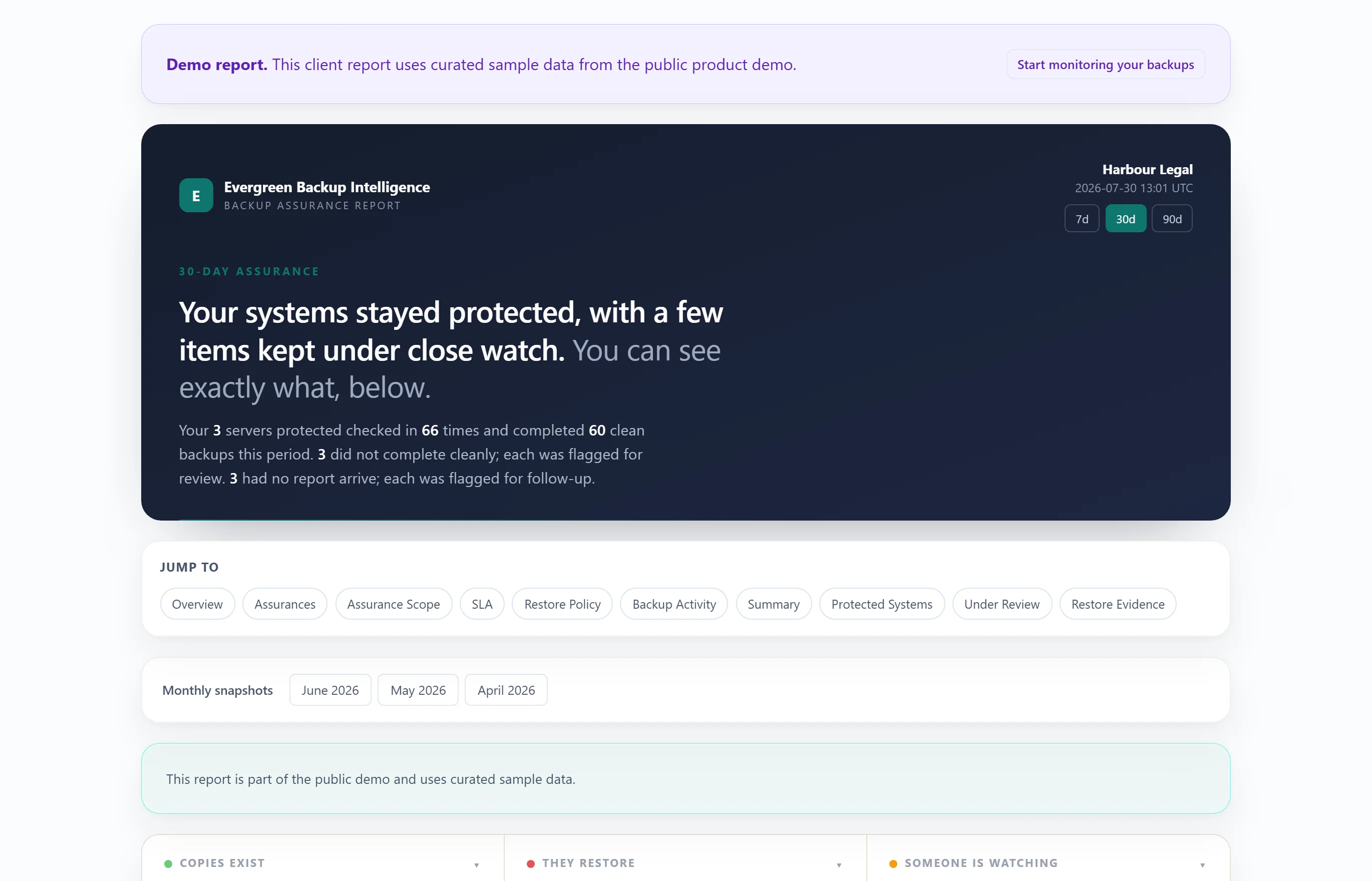
Clients stay longer when they can see the service. Backup IQ helps you package branded reports, live visibility, incident follow-up, and proof of care into a line item that feels real instead of invisible.

White-label client portal

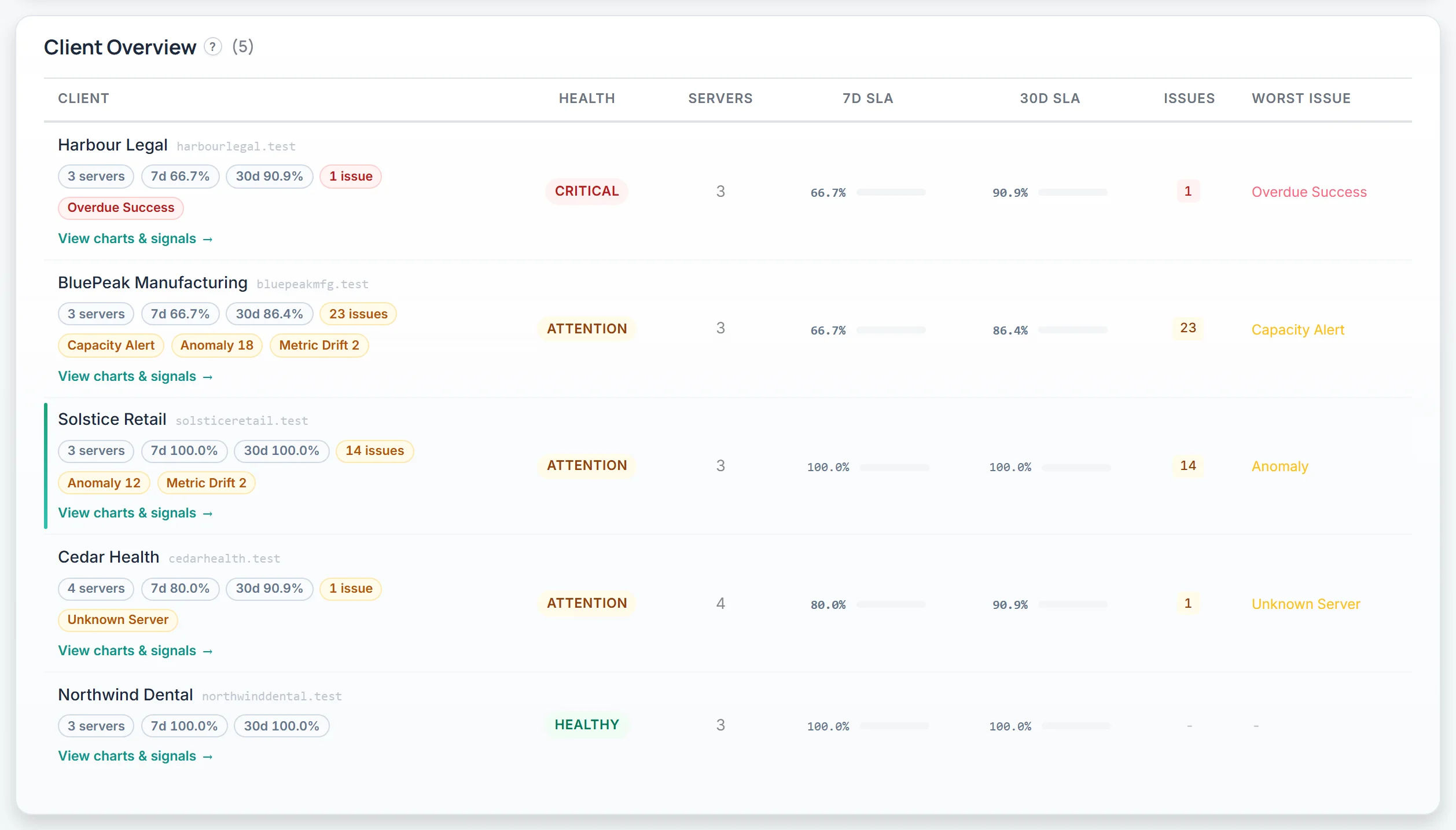
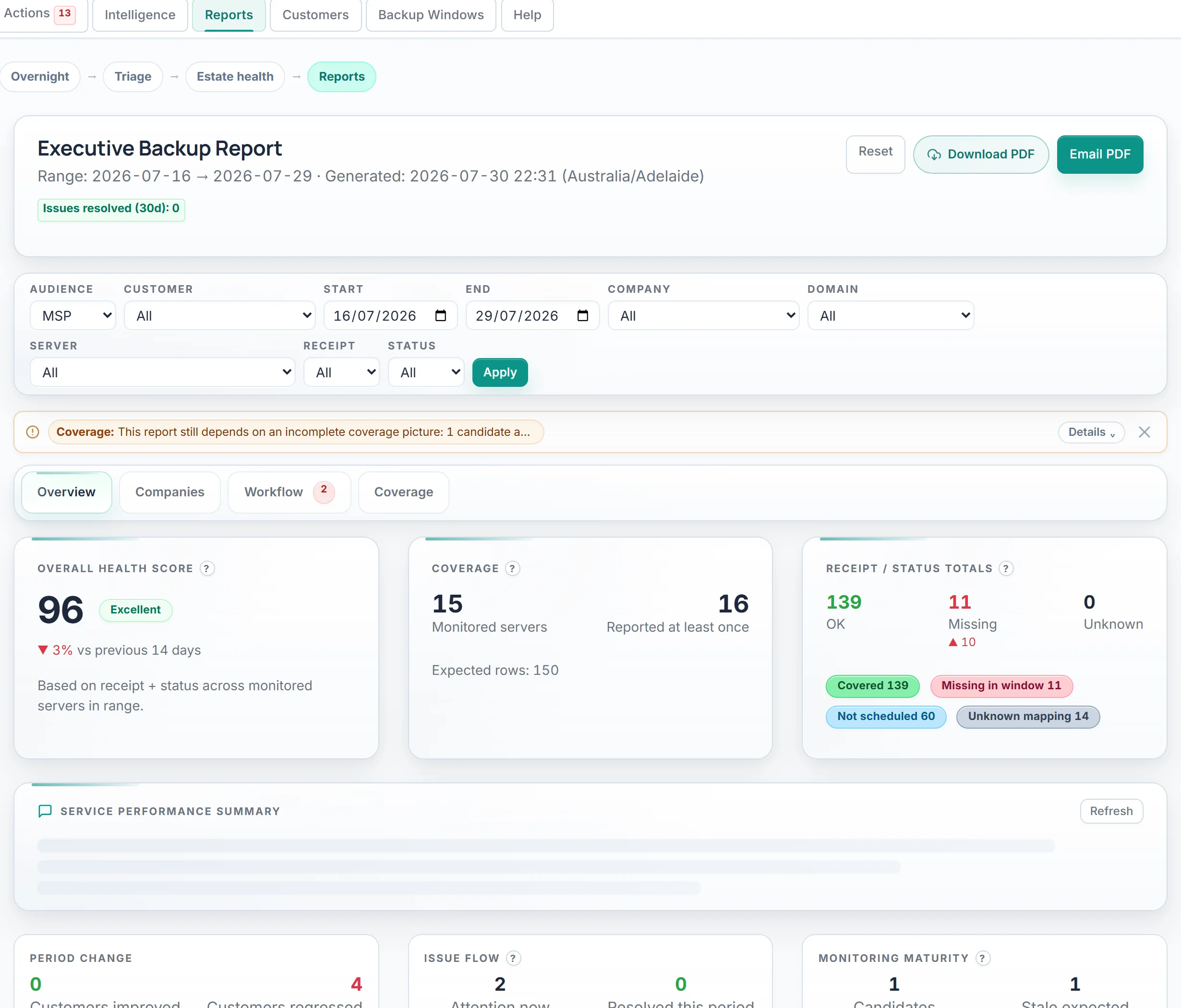
Health scores, SLA gauges, trend charts, incidents, and automatically generated summaries. Send your clients a branded link so they see your service, your care, and your proof of work — not a hidden back-office tool.

Compliance and renewal evidence

Cyber insurers and compliance reviews want proof: restore test records, success history, dated audit trails, and evidence that someone is actively watching. Backup IQ helps you package it and send it under your brand.

Service proof that protects retention

Per-client targets with automated tracking and historical records. Promise backup assurance, prove you delivered it, and make it harder for the client to mentally downgrade your value to “just another tool.”

Recurring line-item economics

Backup IQ is priced so you can wrap it into a managed backup assurance service, keep healthy margin, and grow revenue as your protected client count grows.

Vendor Agnostic

One tool across your entire stack

No agents to install. No vendor lock-in. If your backup product sends email notifications, Backup IQ monitors it.

Veeam Datto BackupAssist Acronis N-able Cove Commvault Arcserve Veritas StorageCraft MSP360 Barracuda Unitrends Druva NAKIVO Comet Altaro

…and any other product that sends backup notification emails.

How It Works

AI sets it up. Deterministic rules run it.

1

Connect your backup email

Point your backup notifications at a monitored mailbox. No agents, no API keys, no vendor integrations.

2

AI analyses once

During setup, AI examines your backup emails — learning which lines indicate success, failure, and key metrics. It builds extraction rules automatically.

3

Intelligence runs nightly

Every night, pure deterministic pattern matching. Zero AI cost per email. Baselines build over time, growing smarter with every backup.

Your Morning

Review the actions. Keep the service moving.

Whether you manage 10 servers or 500, the routine is the same: review the briefing, handle the exceptions, and keep the client-facing service current.

8:00 AM

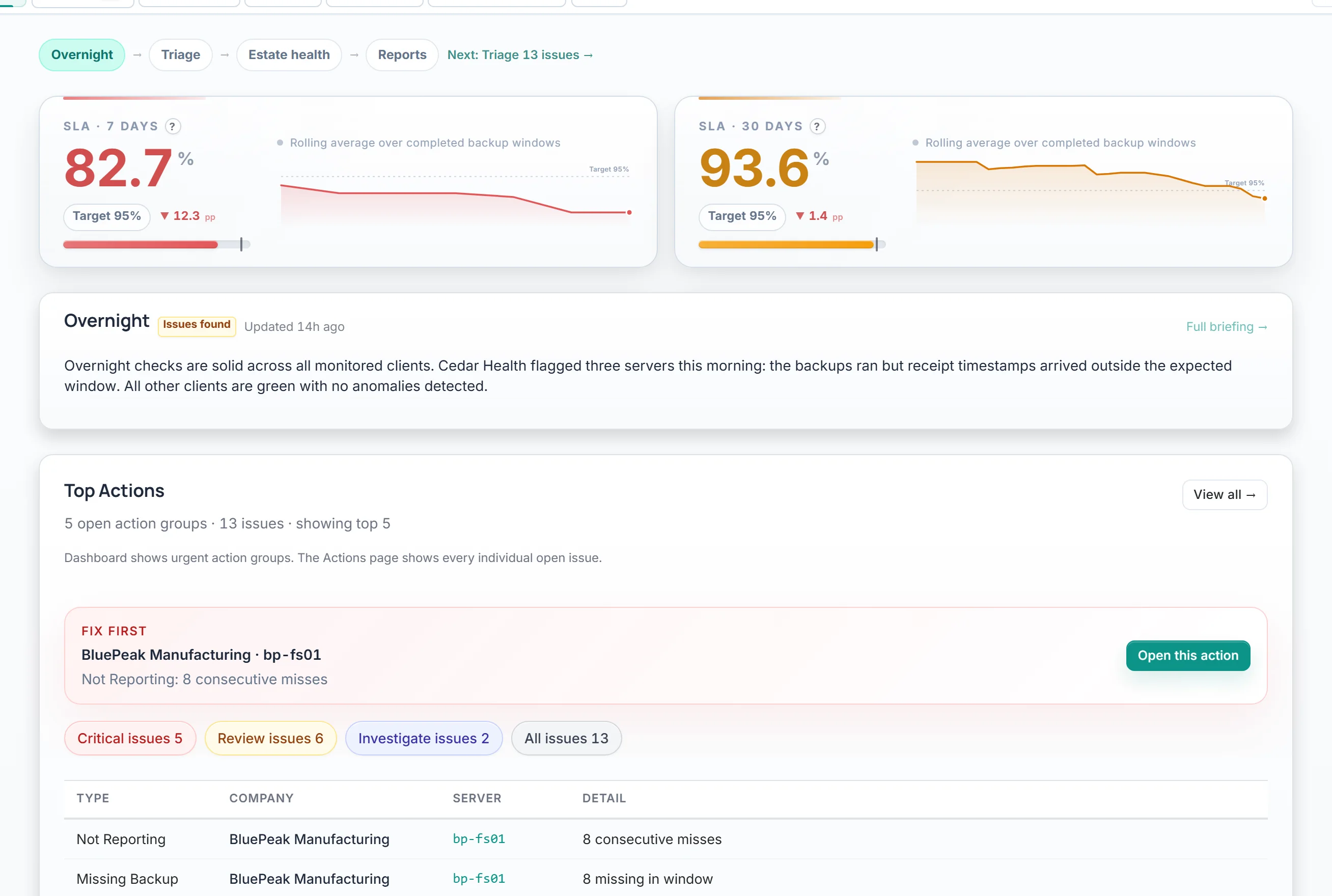
Open Backup IQ, read the overnight briefing

AI summarises what happened across all clients while you slept. Anomalies, failures, and recoveries — in three sentences.

8:02 AM

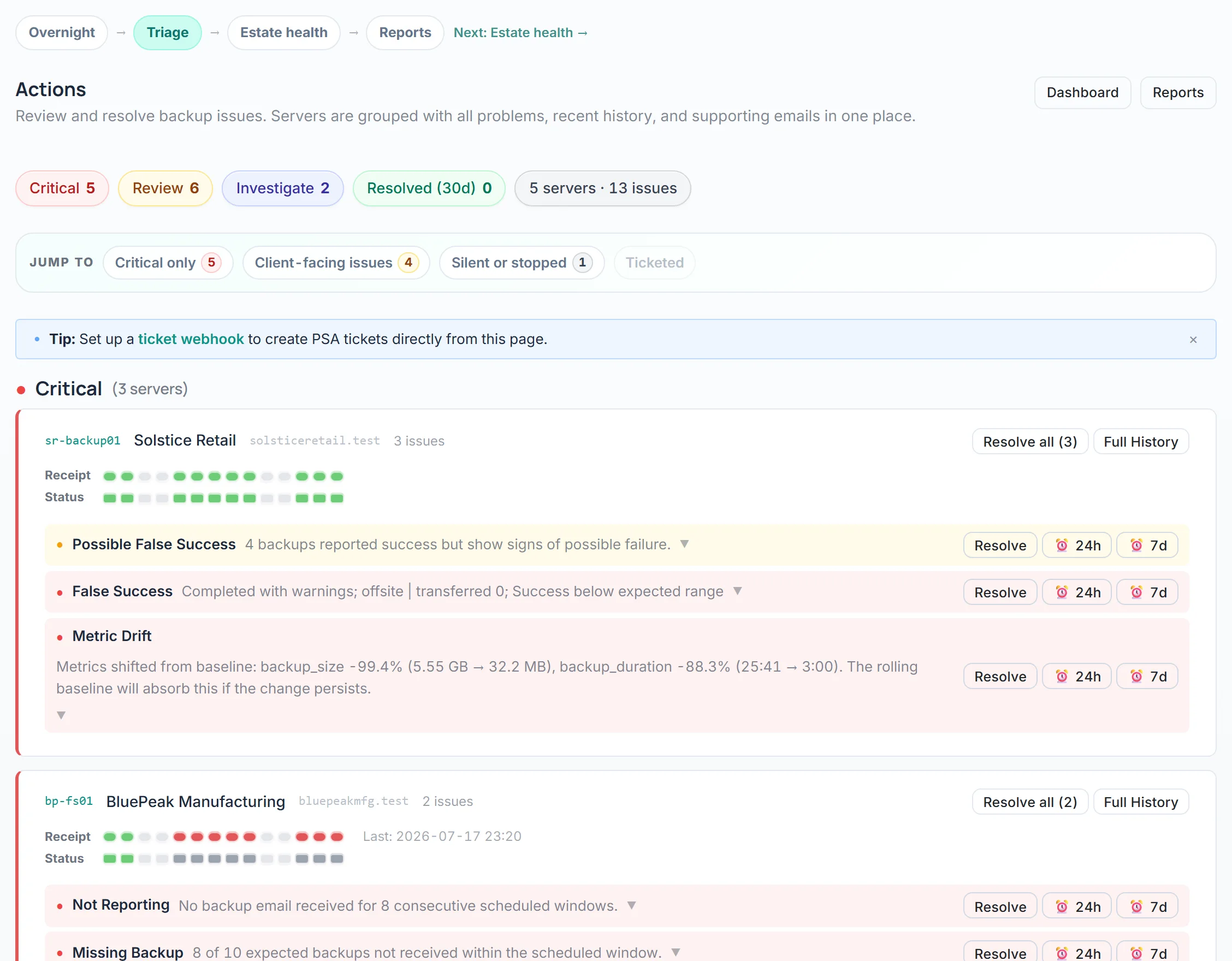
Review the actions queue

Two items need attention today. One server missed its backup, another has unusual size drift. Clear context, clear next steps.

8:10 AM

Both addressed. The service stays visible.

Check intelligence for anything noteworthy, review any client reports due this week, and keep your backup assurance service current without extra admin drag.

COMING SOON

Automatic ticket creation via your PSA

Webhook integrations with ConnectWise, Autotask, and HaloPSA — so action items become tickets without a click.

How do MSPs usually sell this?

Usually as managed backup assurance or managed backup monitoring. The key is that clients can actually see what they are paying for through reports, incident visibility, client access, and compliance-ready proof.

What if my backup emails are basic?

Even simple success/failure emails get schedule detection, missing backup alerts, silent failure monitoring, and SLA tracking. Richer emails unlock baseline modelling and drift detection on top.

How long does setup take?

Most MSPs are monitoring within 15 minutes. Point your backup notifications at the monitored mailbox, walk through the setup wizard, and the AI handles the rest so you can start packaging the service quickly.

Is there a lock-in?

Month-to-month. No contracts, no lock-in. Your backup emails are yours — we just read them.

See the service you can package and resell

Explore the full product with realistic sample clients, reports, and service proof. No signup required.

Built by an MSP who got tired of green dashboards that lied.